SEO issue
Broken Internal Links: What They Are and How to Fix Them
Updated September 2026
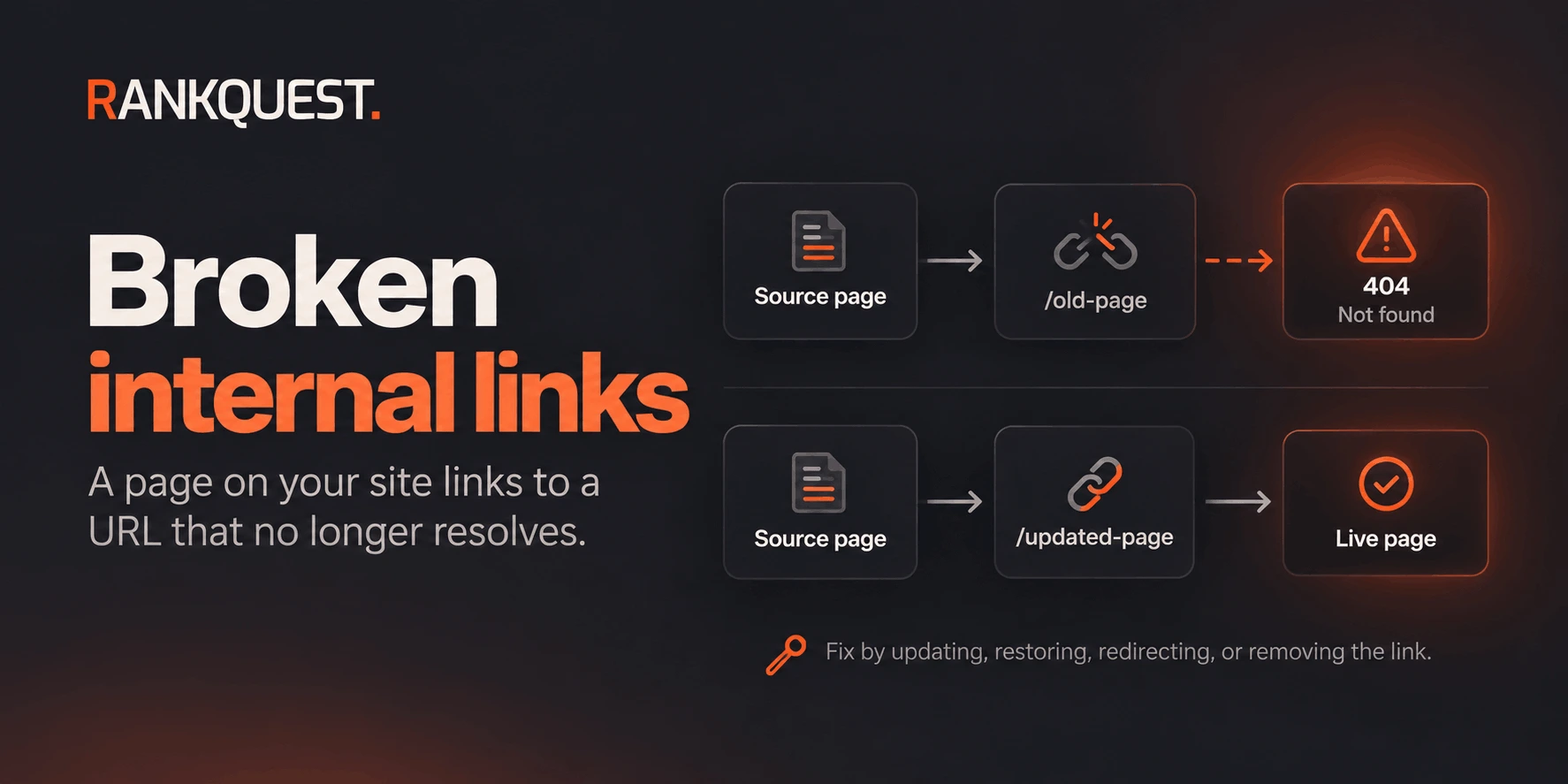 Broken Internal Links Example
A broken internal link is a link on one of your pages that points to another URL on the same site, and that URL no longer returns the page you intended.
Someone clicks it and lands on an error. A crawler follows it and reaches the same dead end. The fix is usually small: point the link at the live page, restore the page, redirect a moved URL, or remove the link. Which of those you choose depends on whether the destination should still exist.
What are broken internal links?
An internal link connects two URLs on your site. It is broken when the destination does not resolve to the intended live page.
The clear cases are HTTP 404 (not found) and 410 (gone). The source page is fine. The link target is not.
That is different from a broken external link, which points at someone else's site. External failures can still annoy readers, but they do not describe your own site structure. This page is about links you control on both ends.
A link can also be wrong without a 404. A soft 404, a redirect loop, or a URL that returns a 200 page with the wrong content is a separate diagnosis. Start with destinations that plainly do not exist, then look at the ambiguous cases.
What broken internal links look like
The pattern is usually ordinary maintenance, not a mystery.
A guide was renamed from /guide/old-slug to /guide/new-slug, and three articles still use the old href.
A product page was deleted. The footer, a blog post, and a related-links block still point at it.
A relative link was written as pricing instead of /pricing, so it resolves under the wrong path and 404s.
A migration changed the URL scheme, such as trailing slashes, a locale prefix, or a move from /blog/ to /guides/, and a template kept the old path.
A navigation or card component was built from a list of slugs. One slug was removed from the CMS, and every page that renders that component now links to a missing URL.
In each case the useful record is a pair: the page that contains the link, and the URL it points to. A crawl that only lists 404s, without the source page, tells you a destination failed. It does not tell you which link to edit.
Why broken internal links matter
For a person, the link promised a next page and delivered an error. On a support article, a pricing page, or a primary nav item, that is a failed task, not a minor tidy-up.
For crawling, internal links are how other pages on the site are discovered and how importance is passed around. A broken link does not by itself "destroy rankings." One footer link to a retired campaign URL will not undo a healthy site. A template that emits the same broken href on hundreds of pages is a different problem: crawlers spend requests on URLs that should not exist, and people keep hitting them.
Broken links also hide the real structure. If the page that should rank is the new URL, links that still point at the old one never reinforce the page you kept.
When broken internal links are NOT actually a major SEO problem
Not every 404 that a crawler reports deserves the same response.
A link on an obsolete draft, an old campaign landing page nobody is sent to, or an archived blog post matters less than the same broken URL in the main navigation. Page importance is the first filter. What to fix first in SEO is the right frame: a technical finding matters when it blocks access to pages that should perform, not because a crawler listed it.
Scale matters. One isolated link in an old post is a small edit. The same broken destination repeated from a shared header, a related-posts component, or a generated HTML sitemap is one template fix with a wide blast radius. Fix the template, then confirm the copies disappeared.
Intent matters. If the resource was removed on purpose and nothing replaced it, the correct action is to remove the link. Restoring the page, or redirecting it to the homepage, invents a destination the site no longer has.
User impact matters more than a raw count. A broken link in the checkout path, the docs nav, or the only path to a flagship guide is urgent because people use it. A broken link in a footnote on a page with no traffic can wait.
Search Console and a crawler will not make that distinction for you. They can show that a URL failed. You still decide whether the source page, the destination, and the number of copies make it worth doing now.
How to find broken internal links
You are looking for source page, target URL, and status. Anchor text helps, because it tells you what the link was supposed to mean.
On a small site, a careful pass through navigation, footer, and the pages that earn traffic is enough. Click the links that matter. Note anything that lands on a not-found page.
On a larger site, crawl it. A crawler that records internal hrefs and the HTTP status of each target will list the pairs. Export the 404 and 410 targets, then group them by the page that links to them. Grouping by source page shows whether you are editing one article or a shared component.
Server logs and analytics can show that people requested a missing URL. They rarely show which of your pages contained the link. Use them as a hint about which 404s are actually visited, then find the source in the crawl.
Google Search Console can show that Google requested URLs that returned Not found, under Page indexing. That list is not a map of your internal links. A 404 in that report might have been linked from your site, linked from somewhere else, or left in an old sitemap. Do not treat the report as a complete broken-internal-link audit, and do not assume every URL in it still has a live internal link.
Whatever method you use, keep external 404s in a separate list. Mixing them in makes the internal fix look larger than it is.
How to prioritize broken internal links
Work in this order.
- Template and sitewide links. One bad href in a header, footer, sidebar, or generated block is multiplied by every page that renders it. Fix that before individual articles.
- Navigation and other primary paths. If the link is how people move through the site, it is in front of almost every other tidy-up.
- Links on pages you actually rely on. The source page might be a product page, a guide that ranks, or a URL that receives campaigns. A dead link there costs more than the same link on a forgotten post.
- Repeated destinations. Many sources pointing at one removed URL is one decision: update them, redirect the old URL, or remove the links. It is still one pattern, not fifty unrelated tasks.
- Isolated, low-traffic links. Fix them when you are already in the file, or batch them. They do not jump the queue ahead of a broken main-nav item.
There is no useful numeric score for this. A single link in the header outranks a long list of broken links on pages you no longer promote. Turn the chosen set into a scoped task with SEO task management.
How to fix broken internal links
Pick one action per destination. Do not default to a redirect.
Update the link when the right page already exists at a new URL. Change the href on the source page to that live URL. If a shared component generated the old href, change it once in the component.
Restore the page only when the destination should exist and was removed by mistake. Publishing it again at the same URL makes the existing links valid. Do this when the content is still part of the site, not to silence a crawler.
Redirect when the page moved and a genuine replacement exists. A 301 from the old URL to the new one helps requests that still hit the old address, including links you have not found yet. Also update the internal links you do know about, so the normal path does not depend on the redirect.
Remove the link when the destination should stay gone and nothing replaced it. Leaving the href, or redirecting it to the homepage, sends people to a page that does not answer the link.
Redirecting every broken URL is how sites collect soft, irrelevant hops. A redirect is for a move. It is not a way to make a 404 report empty.
How to validate the fix
Check the specific pages you changed. A full-site recrawl is useful after a template fix. It is optional for a handful of article edits.
Confirm each edited source page now points at the URL you intended. Open that URL and confirm it returns the live page, not another error and not an unrelated redirect.
Where you added a redirect, request the old URL and confirm it ends on the replacement. One hop to the right page is enough. A chain of old campaign URLs into the homepage is not a fix.
If the broken link lived in a template, check more than one page that uses it. The article you used as an example can look correct while the component still emits the old href everywhere else.
Then look again for the old target URL in the codebase or CMS. The crawl found the links it could render. A draft, a second locale, or a hard-coded footer can still contain the same path.
How RankQuest handles broken internal links
RankQuest does not publish a standalone broken-link checker, and the Redirect Checker does not do this job.
During a site crawl, RankQuest records internal links whose destinations respond as not found or gone. When broken internal links are the condition it selects, the work is grouped by the source page rather than shown as one undifferentiated list of 404s. For a source page, it can spell out the broken targets and the practical choice for each: update the link if a replacement exists, remove it if the page should stay gone, or redirect if the page moved.
That is a bounded fix for the pages involved. It is not an instruction to redirect every missing URL, and it is not a score for how severe the site is.