Guide
Technical SEO Audit Trial: Test Before You Buy
Updated July 2026
How to test a technical SEO audit tool during a trial
Which Technical SEO Audit Trial Fits Your Workflow?
If you only read one section, use this rule: choose the trial that matches how your team makes decisions, not just how it collects data.
 Technical SEO Audit Trial Hero
Use a crawl-first workflow when you want broad sitewide discovery and technical control. Use a guided workflow when you want the findings organized into a prioritized review path. Use a broader suite when you want technical auditing to sit beside other SEO work in one place.
What changes the choice is the kind of handoff you need after the crawl. If the tool shows issues but leaves you to sort everything manually, that may be fine for a technical specialist. If you need a clearer next step for a smaller team, the trial should show whether the product reduces interpretation time.
How to Test Your Shortlist
Treat the trial as a short decision test, not a tour of the interface.
Treat the evaluation window as a short, time-boxed test of the workflow. RankQuest’s trial is 7 days and does not require a credit card. The goal is to see whether the tool gives you a first-pass answer to three questions:
- What is broken or active right now?
- Which issues deserve attention first?
- Can I explain the next action to someone else without translating the output myself?
Start with one representative site or section of a site, not a clean demo project. A real project shows whether the tool handles your actual mix of templates, redirects, duplicate pages, internal linking patterns, or other technical issues.
In your first session, look for:
- A clear setup flow
- A crawl or audit that is easy to start
- Findings grouped in a way that makes sense
- A way to see why each issue matters
- A next-action view that helps you move forward
If the trial makes you spend most of your time decoding labels, exporting data, or rebuilding the logic elsewhere, that is useful information. It means the product may collect the data you need but not support the way you work.
For buyers who want a more structured way to compare output quality, this pairs well with What good technical SEO audit output should look like.
What to test before you commit
Use a pass/fail checklist during the evaluation so you are judging the workflow, not your memory.
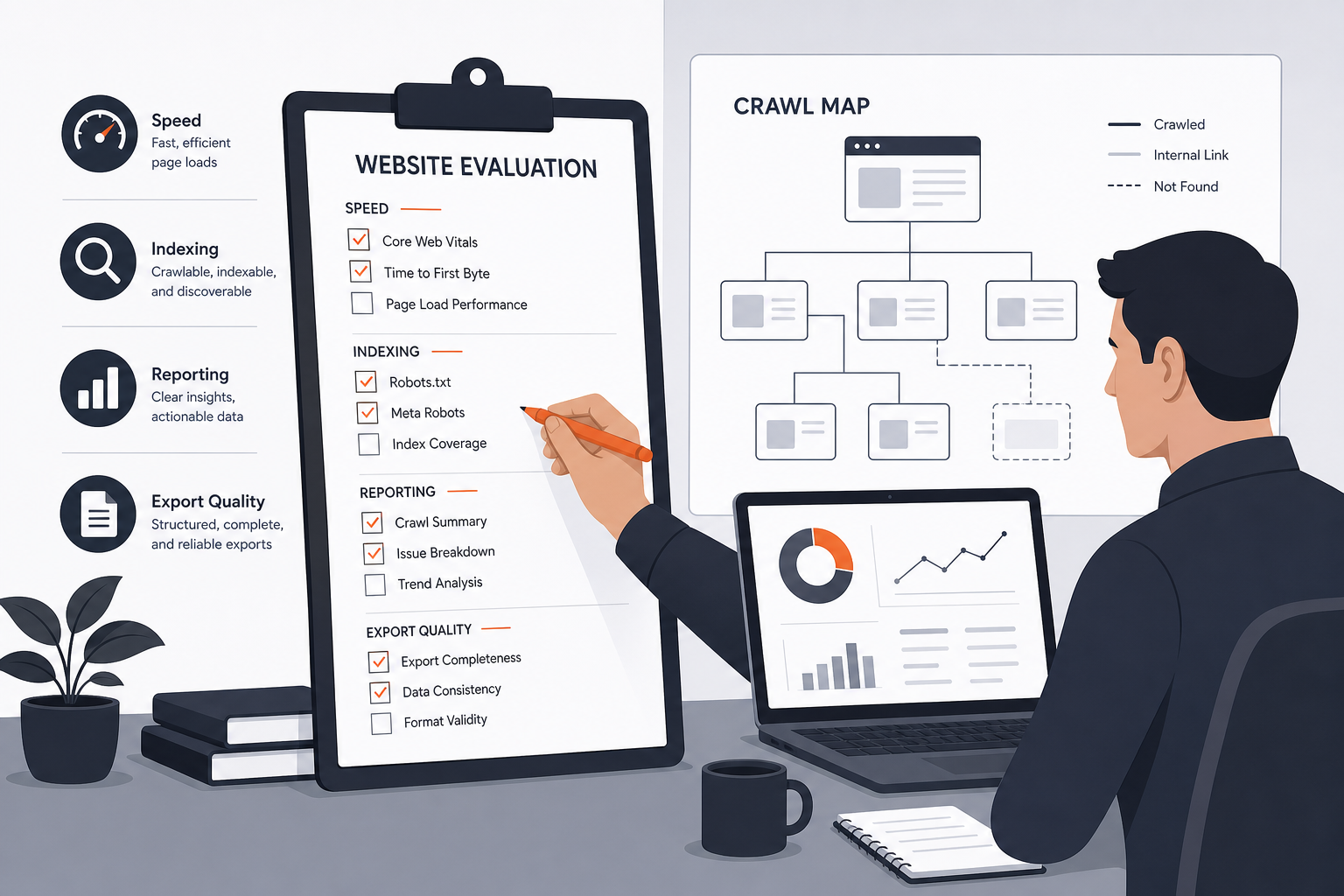 Trial Testing Checklist
Check these points:
-
Setup clarity
Can you get from sign-up to first audit without guessing what to do next? -
Issue visibility
Does the tool show problems in a way that is easy to scan? -
Prioritization logic
Can you tell which findings matter most without creating your own ranking system? -
Explanation quality
Does the output explain why each issue matters in everyday terms? -
Fix handoff
Can you turn the result into a task for a teammate, developer, or yourself? -
Repeatability
If you run the same audit again later, can you compare what changed? -
Fit for your team size
Does the workflow make sense for a small team, or does it assume a specialist will do all the interpretation?
A good enough result is not perfect coverage. It is a tool that gives you a reliable next action with less effort than your current process.
If you want a broader buying lens after the trial, the pillar guide Technical SEO Audit Tool: Which Option Fits Your Needs? helps you place the trial experience in the wider category decision.
Red flags during evaluation
Pause if the tool gives you data without decision support.
That matters because technical audits only help when someone can turn findings into action. If the output feels like a long list with no clear order, your team may spend more time triaging than fixing.
Watch for these warning signs:
-
The output is hard to interpret
If you cannot tell what the issue means without outside research, the tool is adding friction. -
Priorities are unclear
If everything looks equally urgent, the trial is not helping you decide what to fix first. -
The workflow depends on a specialist for every step
That may be fine for expert teams, but it is a mismatch if you need something your team can use repeatedly. -
The next action is missing
If the tool shows a problem but does not help you understand the fix path, the audit stops short of being operational. -
The trial feels disconnected from your real process
If you would still need to rebuild the work in another system, the product may not fit your workflow.
Proceed if the trial gives you issues you can explain, sort, and hand off quickly. Pause if the result creates more interpretation work than your current method.
For a deeper look at common buying mistakes, see Common mistakes when buying a technical SEO audit tool.
How to decide whether to upgrade or buy
By the end of the evaluation, you should know whether the tool helps you move from evidence to action with less friction than your current process.
Use this simple decision rule:
- Keep testing if the audit looks promising but you have only tried a narrow or artificial example.
- Upgrade or buy if the tool clearly surfaces issues, explains why they matter, and gives you a usable next step on a real project.
- Choose another route if the output is informative but not operational for your team.
Do not upgrade just because the trial found issues. Almost any crawler can find problems. The real question is whether the product helps you decide what to do next in a way your team will actually use.
A useful purchase signal is consistency. If the tool gives you clear priorities on more than one crawl, and those priorities match how you already think about the site, you are probably close to a good fit.
Where RankQuest Fits
RankQuest fits buyers who want a decision-support workflow instead of a dashboard full of scores.
 RankQuest homepage
If your main trial question is, "Will this tool tell my team what to focus on next and why?", RankQuest is designed around that job. It shows exactly what to focus on next in SEO, explains why each issue matters, and provides guidance on how to fix issues.
That matters for teams that do not want to spend the trial translating scores into work. RankQuest is built to replace dashboards and scores with actionable decisions, and it groups canonical issues by type so fixes can be applied as patterns rather than one URL at a time. It also highlights technical SEO issues that are currently active, which helps you separate current work from old noise.
In practical terms, that can help a small team move from "we found a problem" to "we know what to do next" faster. It is a sensible fit when your buyer need is prioritization, not just data collection.
When RankQuest Is Not the Right Choice
RankQuest is not the right choice when your main job is deep crawl administration or specialist-level investigation across a highly customized technical setup.
If you need a workflow centered on broad crawl control, a large amount of raw audit exploration, or a specialized desktop crawler style of investigation, another tool may fit better. That is a true non-fit, not a problem to work around.
It is also not the best match if your team mainly wants a traditional reporting stack where audit output sits inside a broader suite of SEO tools. In that situation, the buying decision is about the wider workflow, not just the audit itself.
The boundary is simple: choose RankQuest when you want the next action made clear. Choose a different route when your team needs more raw investigation or a different operating model.
Try RankQuest
If your trial goal is to see whether a tool can turn technical SEO issues into clear next steps, RankQuest is built for that kind of evaluation. Start a 7-day free trial (no credit card required) and inspect how the product organizes issues, explains why they matter, and points to the next action.
FAQs
Are free technical SEO audit trial options enough?
They can be, if your goal is to test the workflow rather than complete a full site program. A short evaluation is usually enough to see whether the tool is understandable, prioritizes well, and fits your team’s process. If you need long-term monitoring or broader rollout testing, you may need more than one session.
When is a simpler option enough?
A simpler option is enough when you mainly need a clear first pass on what to fix and do not need heavy crawl controls or complex setup. For small teams, the better choice is often the one that reduces interpretation time. If the output is easy to act on, that can matter more than a larger feature set.
What should smaller teams prioritize when comparing options?
Smaller teams should prioritize clarity, prioritization, and handoff. If one person has to explain every issue to the rest of the team, the audit is too expensive in time even if the tool itself looks strong. For a more focused small-team lens, see Technical SEO audit tool for small teams.
Can one tool replace every other audit process?
Not always. Some teams want a crawler-first workflow, others want a guided review, and others want audit output inside a broader SEO suite. The right tool is the one that fits your working style and the level of control you actually need.
What should I do if the trial output looks useful but messy?
Keep testing on a second real page set before you commit. Messy output can come from setup friction, but it can also mean the product does not organize findings in a way your team will use. The deciding factor is whether the tool becomes clearer after a normal setup, or whether you still need to rebuild the decision layer yourself.
Related guides
- Technical SEO Audit Tool: Which Option Fits Your Needs?
- Technical SEO audit tool for small teams
- What good technical SEO audit output should look like
- Common mistakes when buying a technical SEO audit tool
- How to roll out a technical SEO audit workflow after you choose a tool