Guide
Technical SEO Audit Workflow After Tool Selection
Updated July 2026
How to roll out a technical SEO audit workflow after you choose a tool
Which Technical SEO Audit Workflow Fits Your Workflow?
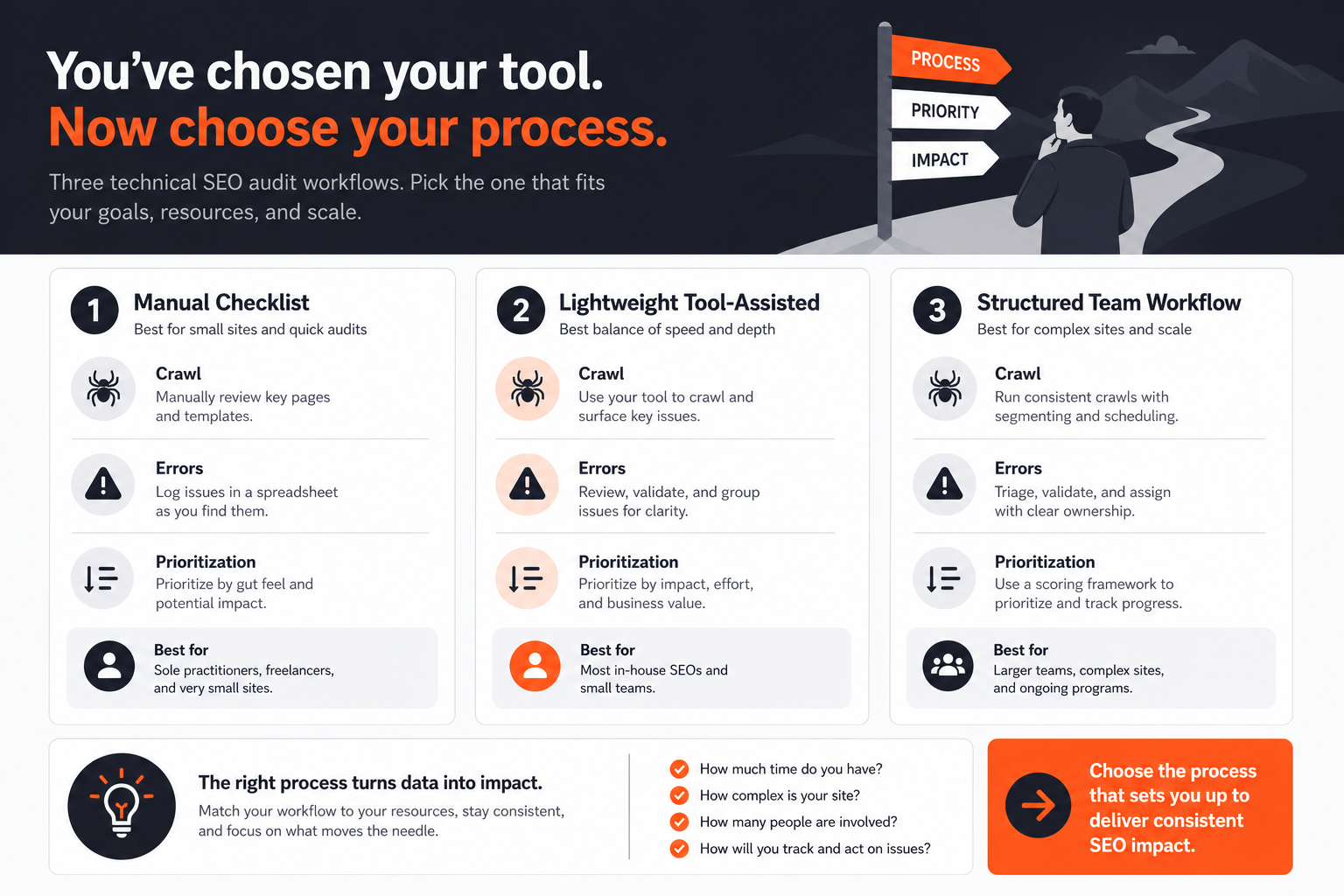
The right workflow depends on how your team works, not on which tool sounds most complete. Choose a crawl-first workflow when you need broad sitewide discovery and you are comfortable doing more of the interpretation yourself. Choose a guided crawler workflow when you want the tool to organize findings into a clearer review path. Choose an all-in-one suite workflow when technical audit work has to sit inside a broader SEO process with reporting and recurring checks.
 Technical SEO Audit Workflow Hero
The main choice changes with three things: how much manual analysis your team can handle, how often you need to revisit the same issues, and whether the audit is meant to stand alone or feed a wider SEO program. If you want a tool that helps you decide what to do next, not just what changed, the workflow has to reduce noise before it reaches the backlog.
A useful rule is simple: pick the workflow that matches the team’s decision-making habits, not the one with the longest feature list. If you need help deciding at the tool-selection level first, the pillar guide Technical SEO Audit Tool: Which Option Fits Your Needs? covers the broader choice.
How to prioritize technical issues
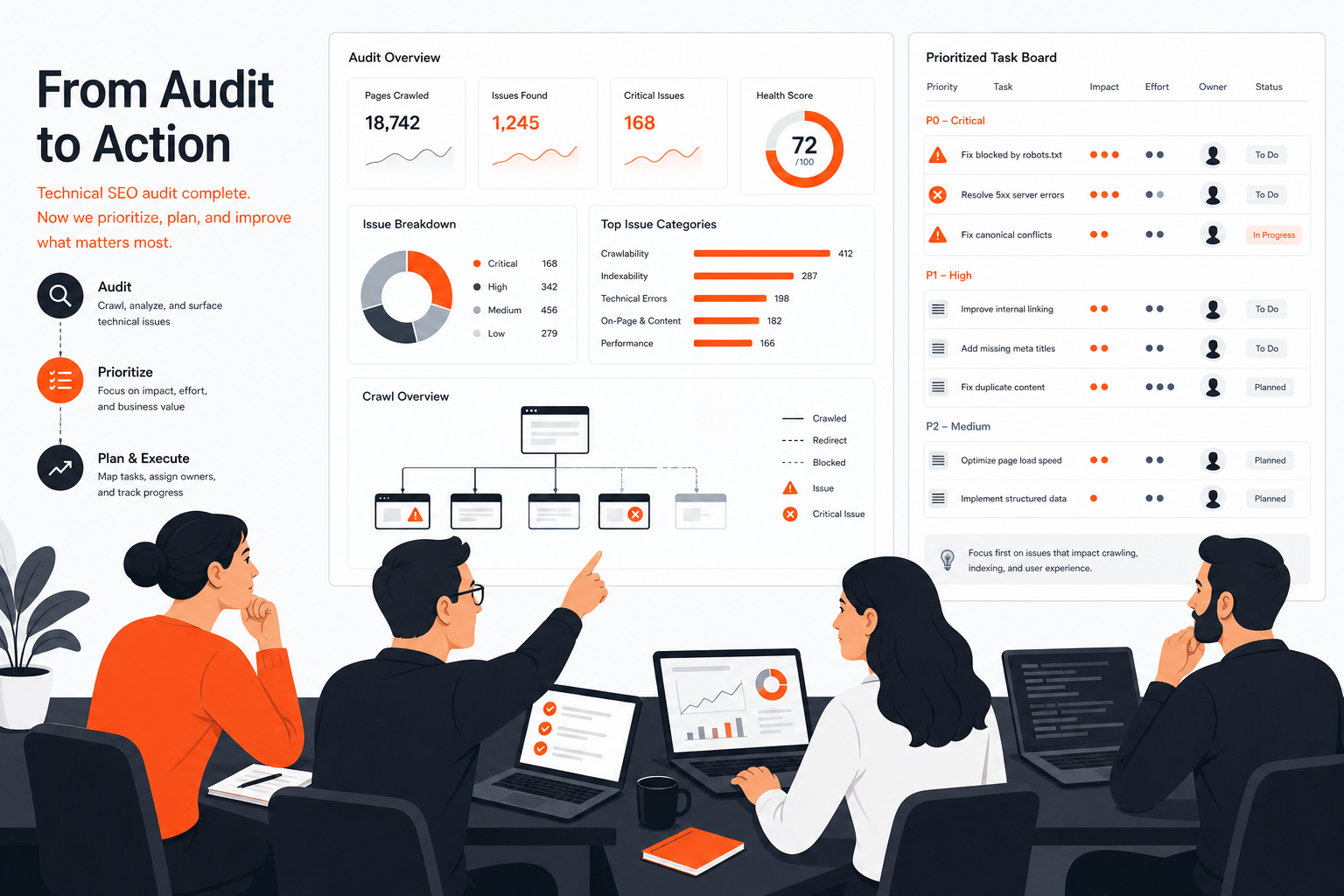
Detection and prioritization are different jobs. A crawler can tell you what exists, but it cannot automatically tell you what should be fixed first in every case. That is why many teams collect useful audits and still fail to make progress, they stop at the list instead of turning the list into a sequence.
 Workflow Fit Comparison
Start by grouping issues by type, then sort each group by severity, likely impact, effort, ownership, and implementation clarity. That keeps the team from treating a hundred individual URLs as a hundred separate decisions when they are usually one pattern. For example, a broken redirect pattern, a duplicate template problem, or a robot rules issue may be a single fix repeated across many pages.
A practical fix order often looks like this:
| Fix order | What to look for | Why it usually comes first |
|---|---|---|
| 1 | Blocks to crawling or indexing | If search engines cannot access or index the page, later fixes matter less |
| 2 | Widespread template or pattern issues | One change can resolve many affected URLs |
| 3 | High-impact internal consistency problems | These can affect how the site is understood and surfaced |
| 4 | Reporting or cleanup items | Useful, but usually less urgent than issues that block discovery or interpretation |
Use effort as a real constraint, not as an excuse. A lower-effort fix can be the right first step when it unblocks a larger batch of problems, but a tiny fix should not jump ahead of something that is clearly more serious just because it is easy.
What experienced teams do differently is make ownership visible early. If a fix needs engineering, content, or operations input, record that before it sits in a general audit list. A technical SEO audit workflow works best when every issue has a path to action, not just a status.
When the issue requires deeper manual investigation, specialist tooling, or a human review of edge cases, do not force the tool to make the final call. The tool should narrow the field. The team should still decide which fixes deserve attention first and why. For teams that want a supported review flow, What good technical SEO audit output should look like is a useful companion page.
Where RankQuest Fits
RankQuest fits when the buyer need is decision support, not a dashboard full of scores. It is designed for teams that want to see what to focus on next in SEO, why each issue matters, and how to fix it. That makes it a natural fit for buyers who already know the site needs ongoing technical attention and want a workflow that turns evidence into next actions.
 RankQuest homepage
The practical benefit is that the workflow becomes simpler to run. Instead of asking someone to interpret a long list of crawl findings from scratch each time, RankQuest is positioned to explain the issue, group canonical issues by type, and highlight technical issues that are currently active. That helps teams review recurring patterns as patterns, not as isolated URLs.
Here is the buyer-job fit in plain language:
| Buyer need | How RankQuest helps |
|---|---|
| Know what to focus on next | Shows exactly what to focus on next in SEO |
| Understand why a problem matters | Explains why each issue matters |
| Turn findings into work | Provides guidance on how to fix issues |
| Reduce noise from raw lists | Replaces dashboards and scores with actionable decisions |
| Handle repeated issues consistently | Groups canonical issues by type so fixes can be applied as patterns rather than one URL at a time |
This is a good fit for visitors who are evaluating SEO workflow and prioritization software and want a product that supports judgment, not just reporting. It is especially relevant when the team needs a single prioritized asset to guide the next round of fixes, rather than another place to monitor numbers.
If your current process already looks like “crawl, interpret, decide, assign,” RankQuest is meant to make the decide step faster and clearer. If you want a broader buying comparison before settling on a workflow style, the main guide Technical SEO Audit Tool: Which Option Fits Your Needs? stays the better starting point.
When RankQuest Is Not the Right Choice
RankQuest is not the right choice when the team wants a crawl-first desktop auditor for heavy hands-on analysis, or when the main job is a broad suite workflow with many adjacent SEO functions in one subscription. In those cases, a different approach may fit better because the buyer need is centered on raw crawling depth or on-suite reporting, not on decision support.
It is also not the right choice if you need the audit tool itself to behave like a specialist investigation environment with extensive crawl controls, saved crawl experiments, or a desktop workflow built around sitewide analysis. That is a different operating model from a product that focuses on what to fix next and why it matters.
This boundary matters because a tool can be a good product and still be the wrong fit for a specific team. If your process depends on deep manual review, your team may prefer a crawler-first or all-in-one suite workflow instead of a decision-support workflow. The right choice is the one that matches how your team actually reviews and assigns work.
FAQs
Do I need a separate process for technical issues if the tool already gives recommendations?
Yes. Tool recommendations help, but the team still needs a rule for grouping issues, checking ownership, and choosing order. Without that process, recommendations can still turn into an overgrown backlog.
When is a simpler workflow enough?
A simpler workflow is enough when the site is small, the team is tiny, and the same people who review findings can also fix them. In that case, a light review cadence and a short issue list may be more useful than a complex operating model.
Should small teams prioritize crawl depth or clarity of output?
Small teams usually benefit more from clarity of output first, because they have less time to interpret raw findings. Crawl depth still matters, but only if the team can act on what the crawl exposes. If you are comparing workflow fit for a smaller team, Technical SEO audit tool for small teams goes deeper on that tradeoff.
How often should a technical audit workflow run?
The right cadence depends on how often the site changes and how much resource the team has. What matters more than frequency is consistency, because a repeated review rhythm makes it easier to spot new issues and confirm that old ones were actually fixed.
What if my audit output is hard to hand off to other teams?
Then the output is not supporting the workflow well enough yet. A useful audit should make it easier to assign work, not just easier to inspect problems. How to test a technical SEO audit tool during a trial explains what to look for when you are checking that handoff quality before you commit.
Related guides
- Technical SEO Audit Tool: Which Option Fits Your Needs?
- Technical SEO audit tool for small teams
- What good technical SEO audit output should look like
- How to test a technical SEO audit tool during a trial
- Common mistakes when buying a technical SEO audit tool